student-start-instructions
Student Start Instructions
For my GitHub:
A quick set of instructions to get you started working with me.
GitHub
GitHub is a platform for hosting and collaborating on software projects. It uses Git for version control, allowing you to track changes, collaborate with others, and manage your projects efficiently.
Creating a GitHub Account
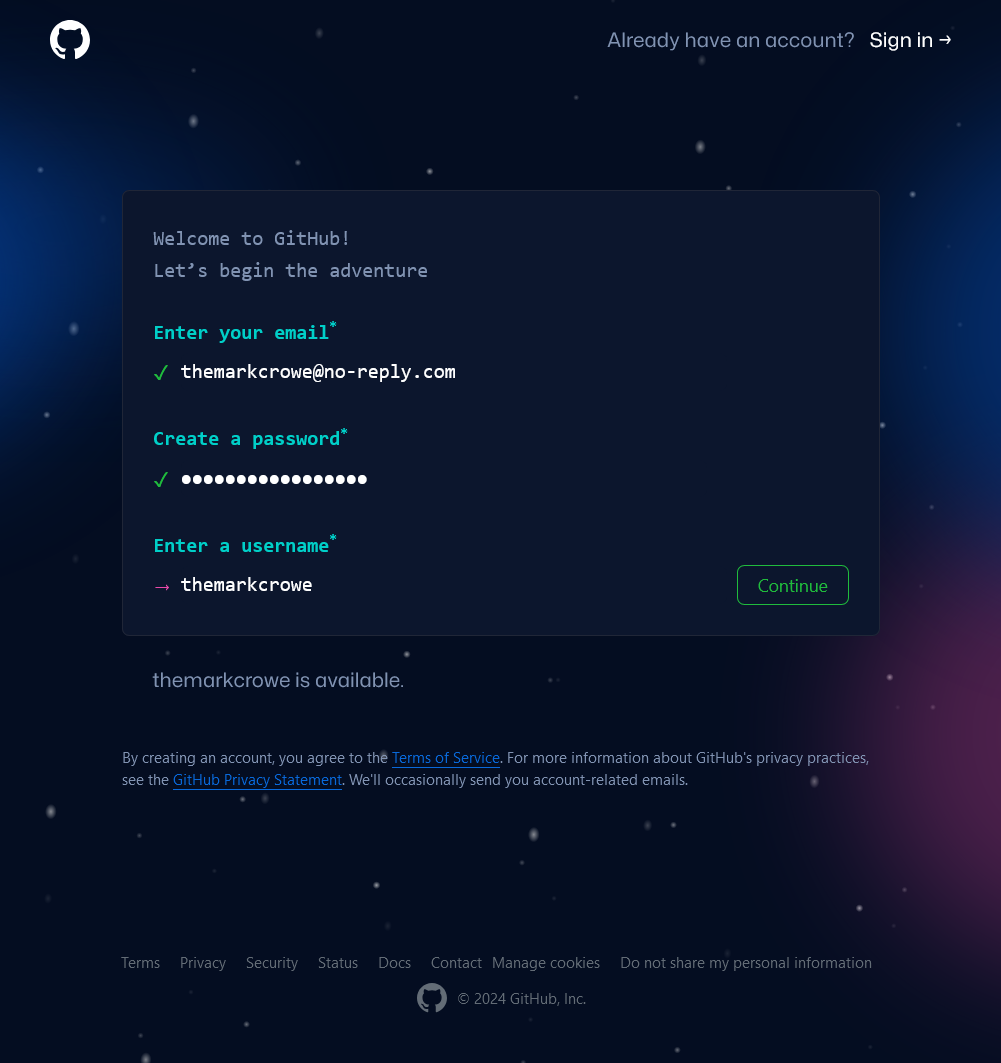
- Visit GitHub at https://github.com/signup.
- Enter your email address, create a password, and choose a username.
- Your username should be all lowercase. Ideally, your username is firstnamelastname or a variation thereof.
- Not not use a dash - or underscore _ in your username.
- If your desired username is taken, e.g.
markcrowetry a variation like:realmarkcrowethemarkcrowenotmarkcrowemarkjcrowe(it doesn’t matter that my middle initial is not J)
- Follow the prompts to create a new account.
GitHub Student Developer Pack
The GitHub Student Developer Pack is a collection of tools and services that are free for students. It includes free access to GitHub Pro and Co-Pilot, as well as discounts on software and services.
To apply for the GitHub Student Developer Pack You must:
- Have a GitHub account.
- Register your student email address on GitHub.
- Go to https://github.com/settings/emails Be sure to scroll down to the
Keep my email addresses privatesection and check the box.
- Go to https://github.com/settings/emails Be sure to scroll down to the
- Have Two-Factor Authentication (2FA) enabled on your GitHub account.
- Go to https://github.com/settings/security and scroll down to
Two-factor authenticationand clickEnable two-factor authentication. Follow the prompts to set up 2FA.
- Go to https://github.com/settings/security and scroll down to
- Have your Student ID or other proof of enrollment ready.
To apply for the GitHub Student Developer Pack:
- Sign in to your GitHub account.
- Visit GitHub Education at https://education.github.com/. Click
Join GitHub Education. Then forSelect your role in educationselectStudent. Scroll down the page toApplicationand your School and Email address should be listed. If not, add them.
Click Continue, then on the next page upload your proof of enrollment such as photo of your student ID, a letter from your school, or a transcript. Click Submit. You will receive an email from GitHub when your application is approved.
Copyright © 2024 Mark Crowe https://github.com/marcocrowe. All rights reserved.